How Much Data Storage Do You Need on a Computer in 2023?
Data storage has become a deciding factor with every new computer purchase or upgrade. Media consumption is on the rise, and operating systems take up more space than ever. It seems there’s just never enough storage.
Deciding how much storage you need can be daunting, as you must factor in future use and how quickly your available storage space may fill up. However, understanding data storage will help you make the right decision when it comes to your next purchase, no matter if this is a new computer or simply a new drive.

Data Storage Usage and Sizes
Data storage is found in every computer. Most laptops contain just one storage drive, and some high-performance or gaming laptops have two. Desktop computers can contain multiple drives as they have space and connectivity options, but check for this before purchase.
The common data storage drive sizes you will see are 32GB, 64GB, 128GB, 256GB, 512GB, 1TB, and 2TB, while 4TB, 6TB, 8TB, and 16TB drives are also available. There are several ways storage on a computer is used. Consumer data storage sizesmeasure in gigabytes (GB) and terabytes (TB).

Operating System
If the device has just one storage drive, the system files will usually be stored here and can be quite large. The most common operating systems for your computer can vary in size.
Additional files, such as driver or operating system updates, may increase in size as time goes on. Remember to account for these.
Media Files
Photograph and video quality on smartphones are forever increasing, with some smartphones now reaching 200 megapixels (MP) in image quality and up to 8K video output. Smartphones have their own storage, but you may need to back up your content. It is always a good idea to back up important data:
Remember to allow a lot of storage if you record a large amount of media.

Program Files
Storage space is used whenever you install a new program or application on your computer. In addition, some programs require companion packages or even additional applications to run correctly, which can take up more storage than you may realize.
See the table below for common programs and just how much space they can occupy (on Windows).

Space Used
Adobe Photoshop
3.1GB (64-bit) / 2.6GB (32-bit)
Adobe Lightroom Classic
2.5-2.75GB
Adobe Premiere Pro CC
2-3GB (Including Cache)
Microsoft Visual Studio Code
Whatsapp Desktop
Be sure to research and factor in the full amount of storage a program could potentially use.
So, How Much Data Storage Do You Need?
Understanding how much data storage means understanding how you use your computer and how much media storage you anticipate you will require.
Even though you can purchase data storage options up to 16TB, it would be completely unnecessary if your usage does not require it. Be sure to allow for future use and purchase with your requirements in mind.
Internal Data Storage Options
Internal data storage is stored inside the computer. Solid state drives (SSD) storage is now the mainstream option, offering high speeds, efficient boot times, and efficient data transfer rates. SSD storage has seen a significant price drop over the past five years, and you can now purchase machine configurations with as much as one to two terabytes of storage at a reasonable price point.
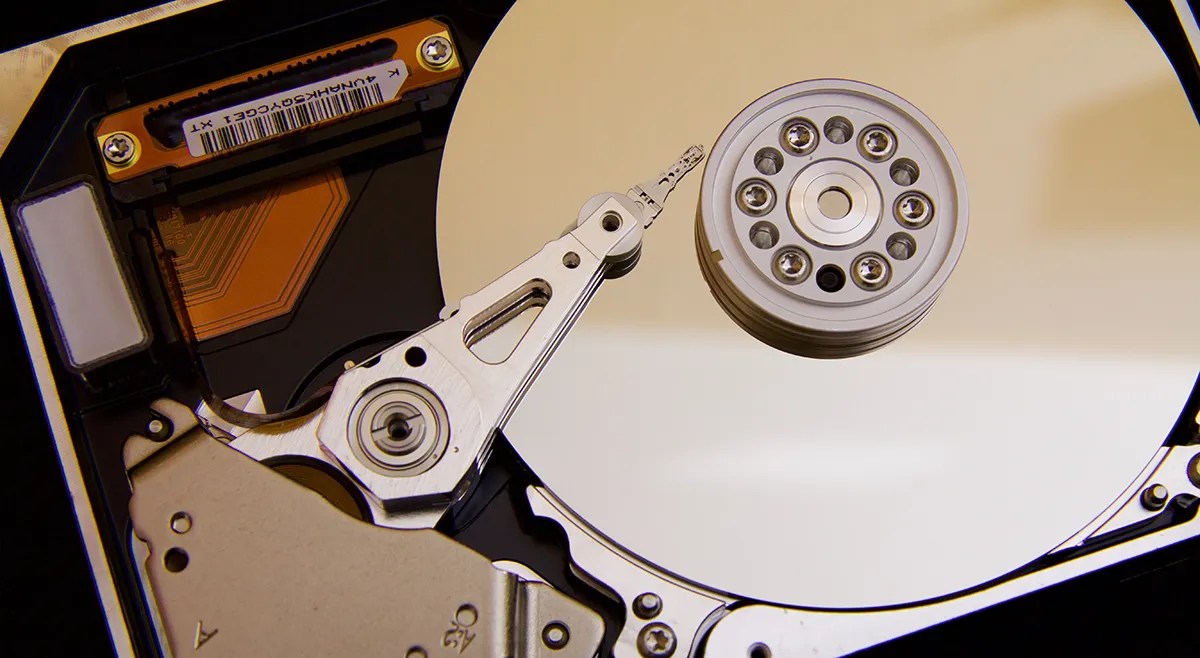
Traditional disk-style hard drives (HDDs) are still available, offering a significantly cheaper alternative to SSD options. Although physical disk drives can be less reliable and offer slower transfer speeds than their SSD counterparts, they offer a fantastic storage upgrade or secondary storage space at a cost that will not break the bank. They are also available in larger sizes, including eight and sixteen-terabyte varieties.
If you are still unsurewhich storage device you should choose, be sure to research and understand all the differences between the two options.
Data Storage Speeds Explained
Storage speeds are of crucial importance. These speeds directly contribute to the performance of your computer. Don’t spend your hard-earned money on plenty of storage space only to be frustrated with slow data transfer speeds. Data storage speeds are measured as read and write speeds. These are the speeds at which data can be read from the drive by your computer and how fast data can be written to the drive.
The read and write speeds for traditional hard drives typically range around 200–300 megabytes per second (MB/s) for both. However, there are exceptions to this, such as the Seagate EXOS 2X18 18TB, which can achieve up to 554MB/s, but unless you need 18TB, you will get better value for money with SSD storage.
SSDs can achieve both read and write speeds of around 520-550 MB/s using the SATA interface.Newer M.2 NVMe SSDsare rated around 2,400MB/s for read speeds and 900MB/s for write. It is always best to check the specifications of the drive before purchasing the hardware. Speeds on SSDs can vary on connectivity, manufacturer, and type, and there are ways tocheck SSD speed and performance.
How Much Data Storage Do You Have?
Whether you are choosing a new computer or a new storage upgrade, you can help future-proof your machine by ensuring the storage size is adequate for your requirements, considers potential future usage, and is fast enough to avoid frustrations with speeds. Also, be sure to check the storage specifications and remember to note any pre-installed system files.
Who asked for these upgrades?
Free AI tools are legitimately powerful; you just need to know how to stack them.
You don’t need to fork out for expensive hardware to run an AI on your PC.
This AI might be the one that really understands you.
Revolutionize your driving experience with these game-changing CarPlay additions.
The best features aren’t the ones being advertised.
