How to Create a Resume Using Visme: 8 Simple Steps
Visme is a free online graphics editor that allows you to create free resumes, flyers, banners, blog headers, social media posts, and more. It also offers free resume templates and lets you customize and download them without charge.
Sign up forfree
Forgot your password?
Create an account
*Required: 8 chars, 1 capital letter, 1 number
By continuing, you agree to thePrivacy PolicyandTerms of Use.You also agree to receive our newsletters, you can opt-out any time.

Step 1: Sign Up and Login
Vismerequires users to be logged in to the platform to access itsResume Editor.
Step 2: Access Templates Library
You’ll be directed to yourWorkspace Dashboardonce you log in. To access the library of resume templates, click on:Create New > New Project > Infographics
This will lead you to the templates' library page with a search bar to look for resume templates.

Searching for resume templates via the Workspace Dashboard search bar will not return any results. It only searches for results from your previous projects.
Step 3: Search for Resume Templates
Use the search bar to look up free resume template samples. Templates with a premium marking in the top right corner are reserved for paid members' usage.
Visme only offers a handful of free customizable resume templates, includingalternative resume formats. However, you could create your own template from scratch using the premium templates for design inspiration.

Step 4: Choose a Resume Template to Customize
Scroll down until you find a resume template you like. If it’s free, click on theEditbutton. This will take you back to the Workspace Editor with the resume template in tow.
Step 5: Remove Premium Elements
Even if the template is free to customize, some design elements used in it might need a premium subscription to edit and use. Replace the premium elements with similar objects that are free, or simply remove them from the template to download it without watermarks.
Step 6: Explore the Visme Resume Editor
Visme has a few unique features that aren’t offered by otherfree customizable resume editing resources. Edit the standard template elements and insert your data to customize the resume as you explore the Visme Resume Editor. Here’s a look at the fantastic features that make working with Visme easy and quick:
Visme makes it easy to edit the major themes of a document. You can add pre-defined combinations ofHeaders & Textto make the text flow seamlessly. UseFont Pairsto highlight key statistics.Photo Gridfeature helps you showcase your artistic abilities. Other features under the Basic tab, likeCall to Action, only work with online resumes.

This feature allows you to add cartoons, sketches, graphics, and more to your documents.Icons, Illustrations, 3D Graphics, Wireframes, Gestures,Shapes, andAvatarsare other graphic features you can use to spice up your resume.
you may use a combination of different graphics elements likeLines and ShapesandIconsto present data concisely and attractively.
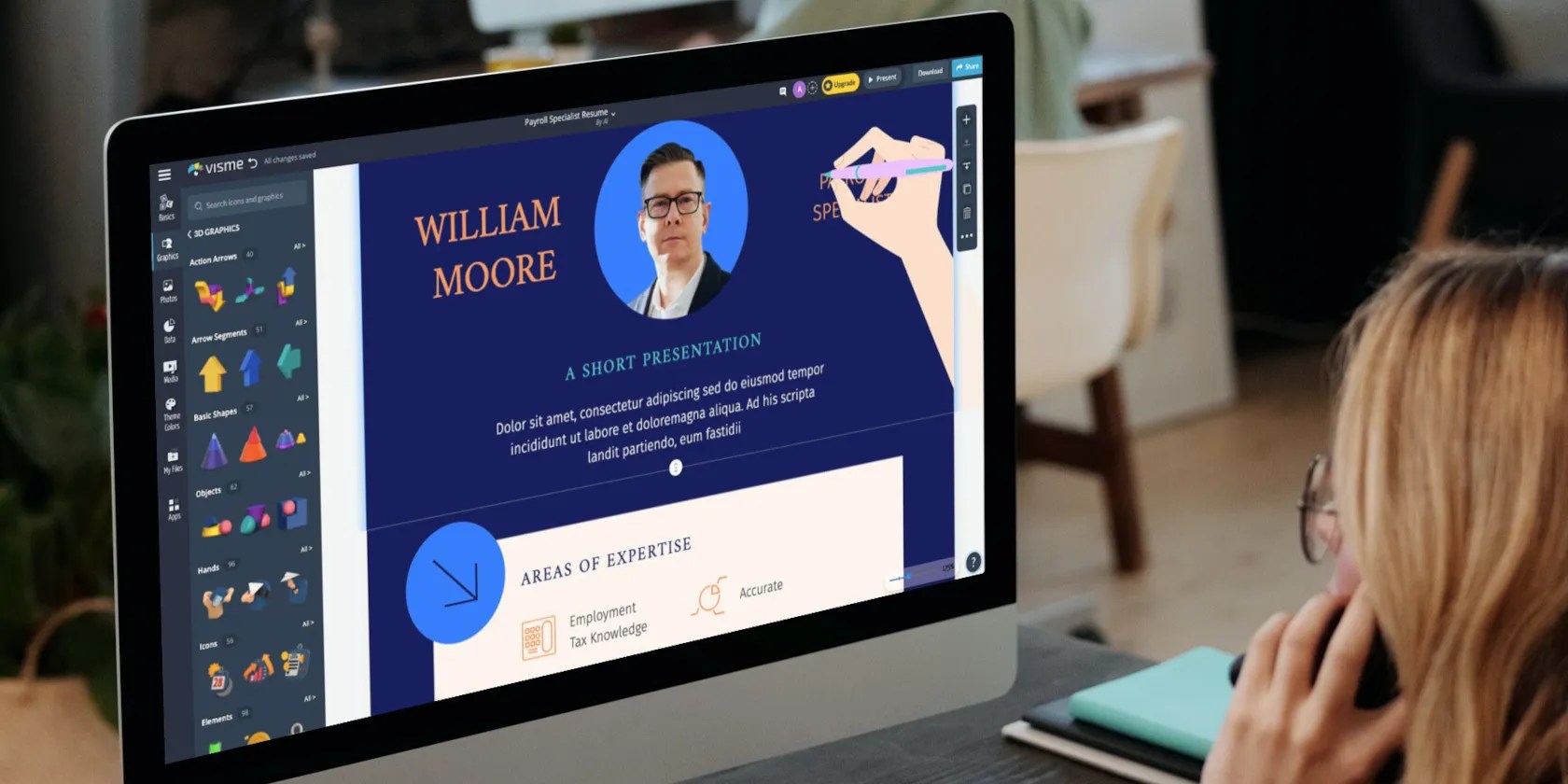
Although it’s tempting to spice up every resume element with graphics and images, learn more aboutthe do’s and don’ts of an infographic resumeto strike the right balance between graphics and textual content.
In addition to regular photos, Visme allows you to useGIFs,Mockups, andCutoutsin your resume. While Mockups lend more context to your photos, Cutouts help you add high-resolution object images with transparent backgrounds to your documents.
The Data section is a standout feature offered by Visme that’s not available with any other free graphics editing app. You can insert unique pieces of data like locations withMaps,Diagramswith labels,Charts and Graphswith properly defined values, and otherData Widgetslike temperature, pie charts, percentages, bar graphs, and more.
Most of these features are free, but the fancy ones are reserved for premium members.
TheTablesfeature under the Data heading is similar to incorporating a mini-excel sheet with editable values. You can use it to showcase your educational achievements, list of certifications, and other statistical data like years of experience along with dates, key achievements, awards and honors received, and so on.
Some template objects are locked in pairs or groups, so you can move them around and edit them together. Click on these grouped objects, then click onUngroupto edit the elements individually.
Theme Colors
Preset color palettes are a standard feature offered by most graphics editors these days, where you can change the universal color theme of your document with a single click. Using these color combinations allows you to give your resume a professional look.
This unique feature offered by Visme can integrate data from other apps with your Visme documents. Whether embedding a YouTube video, inserting files from Google Drive, or Survey Monkey polls, you could connect these apps with your Visme account and add valuable data to take your resume to the next level.
Using GIFs, animations, videos, and apps will restrict your resume download format to MP4.
Version History
Click on the three lines in the top left corner to access additional menu items likeCanvas Size,View Options,Publish Settings, and more. A handy feature you can access via this menu is theVersion History.
Visme auto saves the changes you make and also stores the different versions of the edited resume that you can access later. This is useful if you want to go back to a previous version with different text, colors, and formatting or simply restart from scratch.
Step 7: Upload Content
AlthoughMy Filesis the optimal way to upload your personal content and organize it intoFolders, you’re able to upload stuff directly by clicking onPhotosorMediaand using theUpload Fileoption.
Step 8: Download Your Custom Resume
Once you’re done with all the customizations, click on theDownloadbutton in the top right corner to get your digital copy.
Free accounts can only download documents in JPG format. You need to be a premium member to download documents in PDF, PNG, GIF, MP4, and other formats.
Give Your Resume a Graphics Update
Visme makes it easy for regular people to incorporate graphics, charts, animations, apps, videos, and more in their resumes. Even if you’re a graphics novice, navigating the Visme resume editor is easy and an excellent way to give your resume a graphics update.
Once you get the hang of it, you can move on to exploring more graphic editing tools to create a story-based resume showcasing your career journey.
Want to present your career journey as an interesting story through a presentation? Find out how to do it using PowerPoint.
The key is not to spook your friends with over-the-top shenanigans.
It saves me hours and keeps my sanity intact.
Your phone is a better editor than you give it credit for.
One casual AI chat exposed how vulnerable I was.
Don’t let aging hardware force you into buying expensive upgrades.
