How to Make a Super-Taskbar with Directory Opus
The average Windows user might be fine accessing software through the Start menu or shortcuts on the desktop—maybe even pin an icon or two directly on the taskbar for easier access.
However, true fans of customization and aesthetics use third-party launchers. These are tools dedicated to launching other apps, which usually look like some form of bar floating or stuck on the screen.

Still, there’s an even better solution; A powerful application that makes your average launcher look like a preschooler’s toy: Directory Opus file manager. So, let’s see how you may use this app to create a true super-taskbar.
Shortcuts, Launchers, and Friends
You can use many ways to launch your software, each with different pros and cons.
The approach we’ll see here using Directory Opus is a hybrid of the last two. We’ll create a taskbar like the one that comes with Windows, but with the organization of a bar-looking launcher, and some extra functionality as the sugar on top.

Still, if it’s a simple launcher you’re seeking, and you’d prefer a ready-to-use solution instead of investing the time to craft your own super-taskbar, we’ve got you covered, too. Check outour comparison of some of the best free Windows alternatives to Mac’s Alfred app.
Just a Bar
VisitDirectory Opus' official siteand download the app. You’ll have to request an evaluation license to be able to try the app. We won’t go through the process in this guide and jump straight to the point where the app is installed, up, and running.
Note that we’ll be using the older version 10 of the app. The interface might look somewhat different in the latest versions. Also, note that we’ll refer to the app with its “Dopus” alias.

Since the toolbar’s useless on its own, let’s see how we can add some menus and buttons to it.
Menus & Buttons
If you didn’t close the customization window yet, good: don’t. You should keep it open while you’re customizing your sidebar. When you close it, you’ll exit Dopus’s “customization mode” and return to its normal mode.
Adding & Customizing Entries
Buttons and Three-Buttons
You don’t have to hide everything inside menus. For quicker access, you can place buttons directly on your toolbar.
Congratulations, you’ve just created a launcher equivalent using Dopus! If you’d prefer a simpler way to keep a handful of apps front and center, maybe you’d prefer to checkour article on how to center your Taskbar icons on Windows 10.

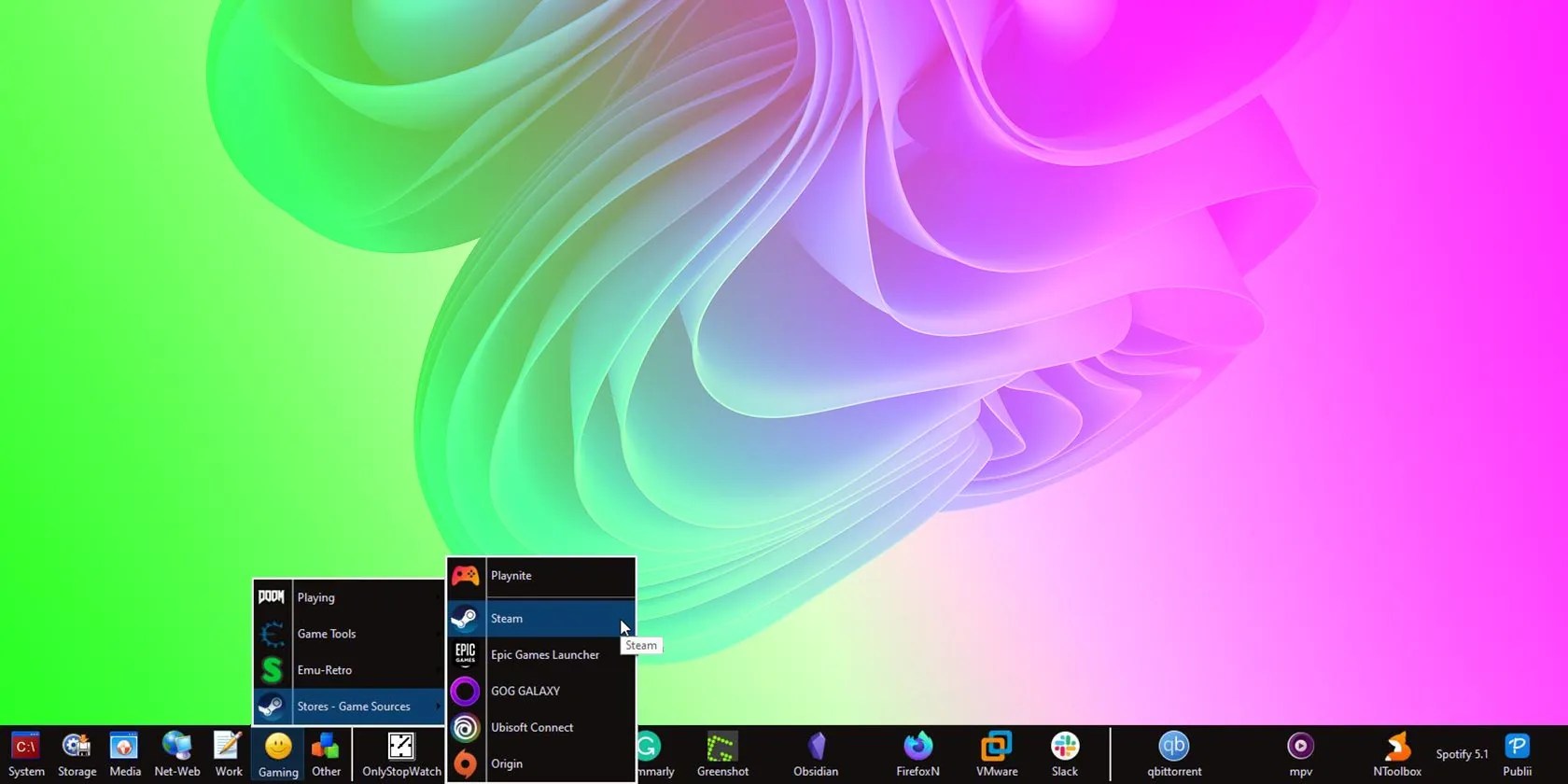
Adding more menus and buttons to your toolbar and further customizing it can turn it into a launcher like no other. As proof, here’s what rests on the bottom of this humble writer’s second monitor:
Absolute Control
Thanks to such a toolbar, you can keep everything easily and instantly accessible. It doesn’t even have to take space on your desktop, as long as you revisit its options and set it to auto-hide! It will then show uponlywhen you point at its usual spot.
Strangely, that’s only the beginning, for Dopus allows much more customization of each toolbar element. We’ll leave that, though, for some time in the future.
Is your taskbar looking a little cluttered? TaskbarGroups is here to fix that.
Some subscriptions are worth the recurring cost, but not these ones.
Revolutionize your driving experience with these game-changing CarPlay additions.
My iPhone does it all, but I still need my dumb phone.
These are the best free movies I found on Tubi, but there are heaps more for you to search through.
These films will leave you questioning humanity, but also wanting more.
