How to Test a Capacitor With a Multimeter
Knowing how to test a capacitor with a multimeter is an essential skill for any electronics enthusiast. Whether you’re troubleshooting a circuit or just want to verify your capacitor is working properly, a multimeter is a straightforward and handy measurement tool for the task.
Although there are numerous methods and tools you could utilize to find out whether a capacitor is healthy or not, a multimeter that can measure capacitance is the simplest way to go. If your multimeter cannot measure capacitance, you can also test your capacitor with a resistance reading.

Testing a Capacitor With a Multimeter
You canuse a multimeterto test many things, including a capacitor’s health. To fully grasp how you can test a capacitor with a multimeter, you need to check the RC (resistive-capacitive) time constant. This is the time it takes for a capacitor to amass a voltage equal to 63% of the input voltage. The time constant equals capacitance multiplied by resistance.
This equation means that if you measure the time when the capacitor’s voltage reaches 63% of the input voltage, and then measure the capacitor’s resistance at that same time, you may divide the time (in seconds) by the resistance (in ohms) to get the capacitance in farads.
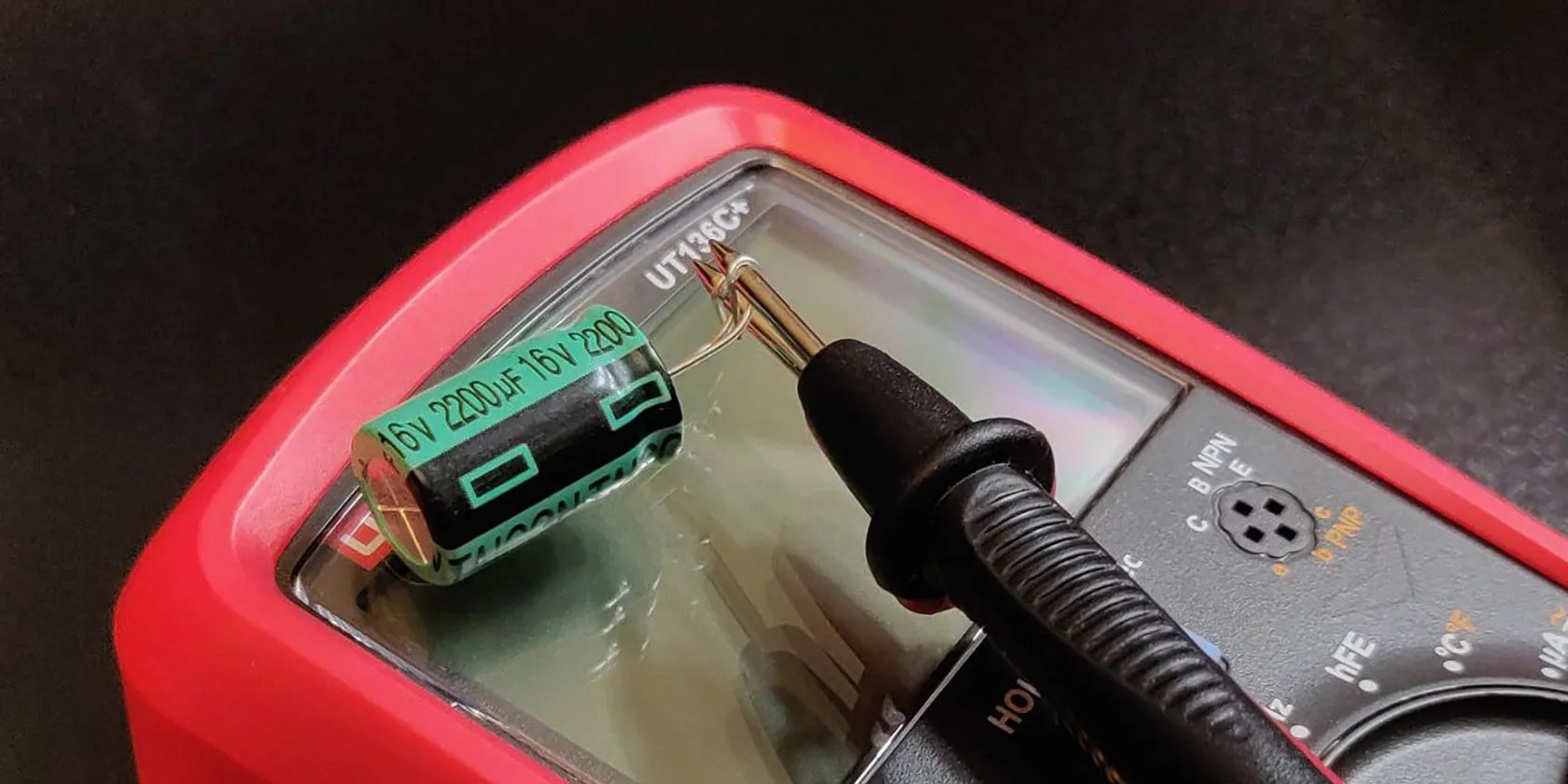
If your multimeter can measure capacitance, this is exactly how it works. Fortunately, it does all the measurements and calculations at the same time so that you don’t have to deal with equations and numbers.
If your multimeter can’t measure capacitance, then the RC time constant comes in handy. Since the voltage cannot exceed 100% no matter how much time passes, the resistance will increase to make up for it. As a result, the capacitor’s resistance will infinitely increase as time passes.

You can safely rely on this concept to check your capacitor through its resistance. All you need to do is to connect your multimeter to the capacitor and observe the resistance. If the resistance starts increasing and stretching to infinity, then your capacitor is functioning.
Capacitors can hold charge even after you disconnect the circuit’s power. Make sure to safely discharge your capacitor before removing it from the board.

Once you’ve safely discharged and removed your capacitor from the circuit, you can check its functionality with your multimeter by measuring the capacitance or resistance.
Polarized capacitors, like some electrolytic ones, have negative and positive terminals. The longer pin is the positive terminal on these capacitors. If your capacitor is non-polarized, then you don’t need to worry about negative and positive terminals.

Measuring Your Capacitor’s Capacitance With a Multimeter
If your multimeter can measure capacitance, then you’re in luck. Not only you may check your capacitors to see if they’re healthy, but you can also determine their capacitance rating with your multimeter.
That’s it! If the capacitance value isn’t too far off what it should be, then your capacitor is good to use.Capacitors store electric chargeat their own pace, so it takes a while for the multimeter to charge up larger capacitors. In that case, you should wait a bit until the reading is stable.
Measuring Your Capacitor’s Resistance With a Multimeter
Even without a capacitance mode, you can still check whether a capacitor is functional with your multimeter. You can do this by checking the capacitor’s resistance.
If the resistance starts soaring without stopping, then your capacitor is functional. This doesn’t necessarily mean that your capacitor is as good as new, only that it is functional.
No More Guesswork
Capacitors are wonderful inventions, but how would you tell if the one in your circuit is functioning as it should? There’s no need for guesswork. You can test your capacitors with a standard multimeter.
If your multimeter can measure capacitance, you can get an accurate capacitance reading and ensure the capacitor is healthy. You can check a capacitor through resistance too. If the resistance increases with time, then the capacitor is functional.
Discover how to measure current in a circuit using a digital multimeter.
Freeing up vital memory on Windows only takes a moment, and your computer will feel much faster once you’re done.
Don’t let aging hardware force you into buying expensive upgrades.
You’re not getting the most out of what you pay for iCloud+.
Free AI tools are legitimately powerful; you just need to know how to stack them.
Turn these settings on, and your iPhone will be so much better than before.
