Raspberry Pi 3 vs. 4: What’s the Difference?
The Raspberry Pi Foundation has gained a strong reputation in the years since the launch of its first single-board computer (SBC) in 2012. These tiny computers are affordable, easy to use, and powerful for their small size.
There are several models available, with different specs and price tags. So, how does the Raspberry Pi 3 compare with the Raspberry Pi 4, and what kind of projects can you use them for?

Raspberry Pi 3 vs. 4: Overview
As with many tech products, each generation of the Raspberry Pi is more powerful than the last. Since the 2012 launch, there have been around 15 different models released, although some are no longer available. The Pi Zero models are smaller, while the Pi 400 is built into a keyboard. There are three standard-size Raspberry Pi models currently available:
Each of these mini-PCs comes in the standard Raspberry Pi form factor. This means they are the same shape and size, and their mounting holes are in the same places. But the hardware on each board is very different.

Raspberry Pi 3 Model B Overview
The Raspberry Pi 3 Model B came out in 2016 as a direct successor to the RPi 2 Model B, and was a major upgrade in processing power and features. This was the first RPi SBC to come with built-in Wi-Fi, and it remains in production to this day.
Raspberry Pi 3 Model B+ Overview
Next to come arrive was the Raspberry Pi 3 Model B+ in 2018. This board upgraded the 3B’s wireless connectivity with dual-band Wi-Fi, along with a range of other improvements.
Raspberry Pi 4 Model B Overview
Released in 2019, the Raspberry Pi 4 Model B is the most powerful RPi to date. There are three versions of this SBC in production, and the latest 8GB variant came out in 2020.
Raspberry Pi 3 vs. 4: General Specifications
The Raspberry Pi Foundation works hard to release hardware that outperforms other options at similar price points. This means that each RPi board is surprisingly powerful, and the specifications under the hood reflect this.
Raspberry Pi Model 3 B General Specifications
The Raspberry Pi 3 Model B is the lowest-powered SBC on this list. When comparing the Pi 3 vs. Pi 4, it is important to remember that several years of R&D separate them. The RPi 3B has a 1.2GHz Broadcom BCM2837 SoC (system-on-chip) based around a 64-bit quad-core ARM Cortex-A53 CPU. It features 1GB of RAM; fine for basic computer use.
1.2GHz Broadcom BCM2837 SoC, Cortex-A53 64-bit quad-core

1GB LPDDR2 SDRAM
Raspberry Pi 3 Model B+ General Specifications
The RPi Model 3B+ is a step up from the 3B, featuring a faster 1.4GHz Broadcom BCM2837B0 SoC still based around a quad-core Cortex-A53 CPU. Despite the processor upgrade, the 3B+ has the same 1GB of RAM found on its predecessor.
1.4GHz Broadcom BCM2837B0 SoC, Cortex-A53 64-bit quad-core

Raspberry Pi 4 Model B General Specifications
As the most recent RPi variant, it shouldn’t come as a surprise that the Raspberry Pi 4B is the most powerful. This SBC features a Broadcom BCM2711 SoC based around a 1.5GHz Cortex-A72 quad-core CPU. This makes it roughly three times as powerful as the 3B+.
There is a choice of models with 2GB, 4GB, or 8GB LPDDR4 SDRAM. LPDDR4 RAM is able to run at higher frequencies than the LPDDR2 RAM found on earlier RPi boards. (The 1GB variant of the Raspberry Pi 4B has been discontinued and is hard to find.)
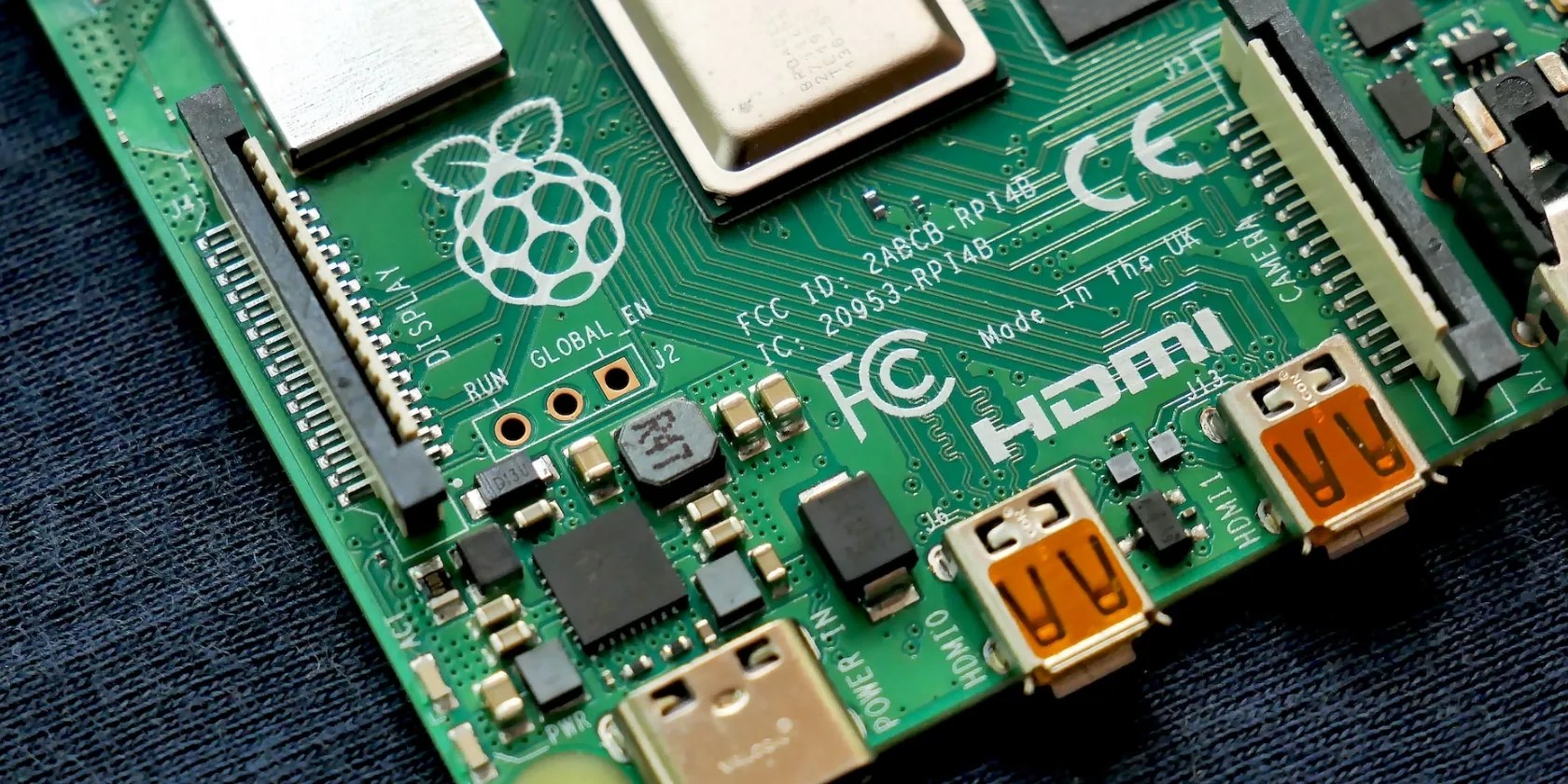
1.5GHz Broadcom BCM2711 SoC, Cortex-A72 64-bit quad-core
1GB (Discontinued), 2GB, 4GB, or 8GB LPDDR4 SDRAM
It is easy to fall into the trap of thinking that the Raspberry Pi 4B is the best for your project because it is the most recent board. While it certainly has the edge in the Raspberry Pi 3 vs. 4 power match-up, it is the least affordable board.
Choosing the right Raspberry Pi for your project is all about balancing price with power. As you will see later, all three of these mini computers have what it takes to work on a variety of projects.
Raspberry Pi 3 vs. 4: I/O & Connectivity
Alongside general specifications, it’s worth considering the I/O and connectivity on each RPi SBC when choosing the right one for your project. This includes ports, wireless connections, and other types of connectors found on your Raspberry Pi.
Raspberry Pi 3 Model B I/O & Connectivity
Despite its age and price, the Raspberry Pi Model 3 B is packed with a surprisingly good set of connections. This was the first RPi to feature built-in Wi-Fi, and the board comes with four USB 2.0 ports for peripherals and extra storage.
microSD Card Slot
4 x USB 2.0 Ports
Ethernet/Wireless
Wireless LAN, BLE, 100 Base Ethernet
Display/Audio
4-Pole Stereo Audio & Composite Video, 1 x Full-Size HDMI
Power Supply
2.5A micro-USB Port
GPIO Header
40-Pin Extended GPIO
Additional Connections
CSI Camera Port, DSI Display Port
Raspberry Pi 3 Model B+ I/O & Connectivity
The Raspberry Pi Model 3B+ brought faster dual-band Wi-Fi and Gigabit Ethernet to the table. Aside from these changes, this SBC offers very similar I/O to its predecessor.
2.4GHz and 5GHz Wireless LAN, Bluetooth 4.2, BLE, Gigabit Ethernet
Raspberry Pi Model 4 B I/O & Connectivity
Along with being the fastest RPi around, the 4B also has the best connectivity. This SBC has everything you would expect from a laptop or mini desktop PC. The two Micro HDMI ports support dual 4K displays, while the USB 3.0 ports offer faster data transfers.
This board also upgrades the Bluetooth standard found on the RPi 3 Model B+. Bluetooth 5.0 is faster than Bluetooth 4.2, making it excellent for handling multiple connections to different devices.
2 x USB 3.0 Ports, 2 x USB 2.0 Ports
2.4GHz and 5GHz Wireless LAN, Bluetooth 5.0, BLE, Gigabit Ethernet
4-Pole Stereo Audio & Composite Video, 2 x Micro HDMI
3A+ USB Type-C Port
2-Lane MIPI CSI Camera Port, 2-Lane MIPI DSI Display Port
Simple projects that require low-speed Wi-Fi and a handful of USB ports are perfect for the Raspberry Pi 3B and 3B+. When you compare the Raspberry Pi 3B+ vs. 4B, though, it’s clear that the later board is far more suitable for use as a desktop PC.
Raspberry Pi 3 vs. 4: Example Projects
Many Raspberry Pi projects work with an array of the SBCs in the line-up. The example projects below demonstrate the strengths of the boards they have been assigned to, but they are all fairly easy to get started with.
Raspberry Pi 3 Model B Wireless Printer
Some printers lack wireless functionality, but even those that have it are often temperamental at best. Thanks to its built-in basic Wi-Fi connectivity and low price, the Raspberry Pi 3B is ideal for giving your other gadgets wireless capabilities. You just need a printer, Raspberry Pi 3B, and a guide to show youhow to make your printer wireless.
Raspberry Pi 3 Model B+ Home Cloud Storage
Cloud storage has seen increasing popularity in recent years, with people across the world relying on the internet to access their files. Nextcloud enables you to escape subscription fees and guarantee your privacy bybuilding your own Raspberry Pi cloud storageserver. The Raspberry Pi 3B+ is perfect for this, thanks to its low price and dual-band Wi-Fi or Gigabit Ethernet for fast file transfers.
Raspberry Pi 4 Model B Tablet With RasPad 3
Raspberry Pi 4B boards make great desktop PC replacements for those with light needs, but they can also work as devices like tablets. The RasPad 3 works with theRaspberry Pi 4 B to build a powerful tabletwith a touchscreen and plenty of I/O options. A project like this requires as much power as possible, making this board perfect for it.
What’s the Difference? Raspberry Pi 3 vs. 4
As you can see, the main differences between the Raspberry Pi 3B, 3B+, and 4B models are in processing power and I/O connectivity. This range of SBCs has seen upgrades in power as the years have gone by, all while retaining the low price point that made them famous.
All of these boards can work as a desktop PC, and many of the RPi projects you find around the web can work with all three models. Of course, though, you should always seek to choose the board that offers the best price-to-performance balance for your projects.
Unsure about whether to buy a Raspberry Pi 4 or a Raspberry Pi 400? Our comparison will help you decide.
Sometimes the smallest cleaning habit makes the biggest mess.
These are the best free movies I found on Tubi, but there are heaps more for you to search through.
Anyone with more than a passing interest in motorsports must see these films.
Quality apps that don’t cost anything.
I gripped my chair the entire time—and then kept thinking about it when the screen turned off.
