Why We’re Excited About Sony’s New DualSense Edge Controller
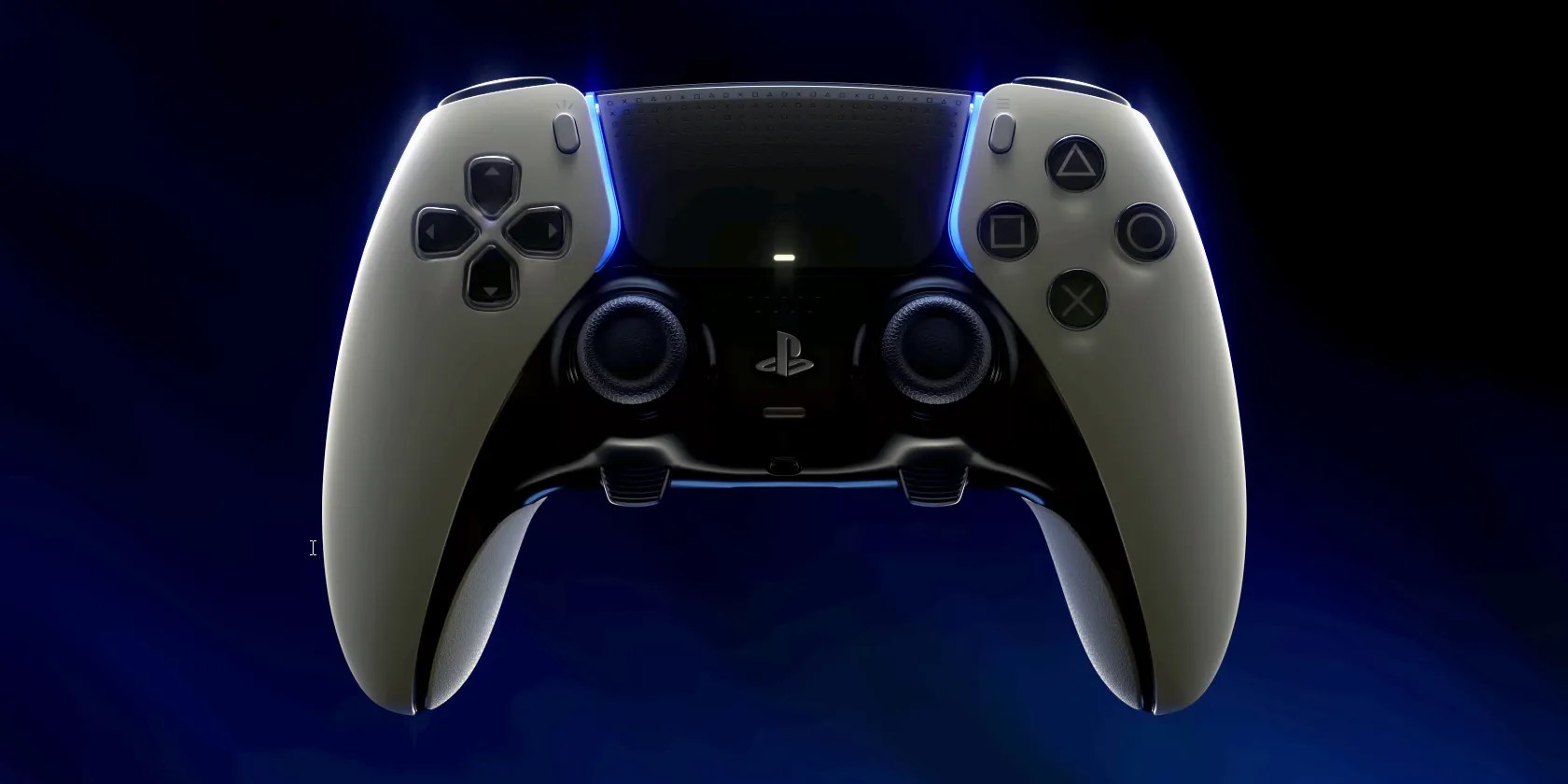
Sony arguably made one of the best and most iconic game controllers for its PlayStation 5 console—the DualSense. But the company has outdone itself by releasing a pro version of this controller, called the DualSense Edge.
Despite PlayStation’s success over the years, premium controllers from other consoles, like the Xbox Elite Series 2 and the Steam Deck’s built-in controller, have features Sony’s controllers are missing.

But with the new DualSense Edge controller, Sony aims to bring better functionality and customization to the PlayStation 5. So, these are the reasons why we’re excited about the new DualSense Edge.
New Customization Features for Pro Players
While the original DualSense controller is already a powerhouse in its own right, the DualSense Edge is adding more features that’ll allow players to play the way they want to. Sony announced all these new features during the opening night of Gamescom 2022 and provided details in thePlayStation blog.
Customizable Controls
The DualSense Edge allows PlayStation 5 players to remap and deactivate specific buttons, just like theXbox Elite Series 2 controller. So, if you frequently press the wrong button during the heat of battle, you can deactivate that button to avoid inconvenience.
Alternatively, if you find reaching a crucial action on the DualSense controller difficult, the DualSense Edge’s remapping capability will allow you to move a button to another location. This action will make it easier for you to press the correct switch, allowing you to react faster to in-game events.

Furthermore, you can customize each trigger’s travel distance and dead zone. So, if you’re playing games where milliseconds matter, a lighter activation point could mean the difference in who gets the first shot. Reduced dead zones could also allow for more precision—crucial for racing games, where just the right amount of throttle input will mean the difference between overtaking on a corner or spinning out.
Profile Switching on the Fly
Most PlayStation owners play multiple titles or share their consoles with family and friends. So, with profile switching, you no longer have to stick to a particular customized setup. For example, if you’re playing Gran Turismo 7, you want your triggers to have a minimal dead zone, but if you’re playing Call of Duty: Warzone, you want to increase that to avoid misfires while you’re traversing Verdansk.
By saving your preferred controller profiles, you don’t have to manually set up your controller every time you launch a new game. And if you’re going to lend your controller to your friends or siblings who want to set it up for their preference, they can do so via profile switching.

Once you’ve saved your profiles, you don’t have to pause the game to switch them. The dedicated Fn buttons at the bottom of the analog sticks let you quickly swap your control profiles, adjust game and chat volumes, and set up and test controller profiles while in-game.
New Buttons That Let You Choose the Right Feel
Beyond customizing the control scheme, Sony’s new DualSense Edge controllers also introduce new buttons with customizable caps.
Back Buttons for More Control
Taking a nod from the Xbox andSteam Deck, the new PlayStation 5 controllers now have two buttons at the back. While this is still two less than what the competing options offer, you no longer have to get an attachment from Sony (or a third-party adapter) to have one.
Replaceable Caps and Buttons
Aside from adding new back buttons, Sony also lets you replace these back buttons. You can choose between half-dome or lever-type switches, allowing you to customize them how you like them. You can also replace the caps on the analog sticks to your liking—pick between standard, high dome, and low dome.
Although you can’t replace all the other buttons and triggers, the customization on the sticks and back buttons will go a long way to making long gaming sessions more comfortable and improving your performance.

DualSense Edge Addresses the Stick Drift Concerns
One of the issues that frequently affect analog sticks is stick drift. And while you can sometimesfix the DualSense’s drifting issuewith software or cleaning, it isn’t pleasant to deal with. And if your fixes do nothing, you’ll have to return your controller to Sony for repair.
If your controller is still under warranty, you’re good (provided you didn’t void the warranty). But if not, you’ll have to pay Sony to fix it, or you’ll have to fix the drifting sticks yourself—which is fairly difficult.
Replaceable Stick Modules
However, with the new DualSense Edge, you no longer have to disassemble your controller if you experience stick drift. You can now purchase replacement stick modules and swap them out easily. Granted, this isn’t an ideal solution—Sony should make its controller’s modules more rugged—but it’ll make repairs easier and reduce the number of good controllers discarded due to stick drift issues.
Included Carrying Case
One of the causes of stick drift is when dirt and dust accumulate underneath the controller. Another cause is if the stick is unnecessarily moved around and receives undue pressure in your bag while transporting it.
But with the included carrying case, you can ensure your DualSense Edge controller is protected when you aren’t using it. Furthermore, you also get a USB-C braided cable, which you can use to charge the controller, even if it’s inside the case.
Bringing an Edge to PlayStation 5 Players
Sony’s new DualSense Edge controller brings a lot of new features to PS5 gamers who need an edge in multiplayer titles. All these features will allow players to game precisely how they want while extending their controllers' life.
While Sony hasn’t announced the pricing or release date yet, we’re already excited to get our hands on one and see how this improves our gameplay. We just hope Sony delivers more PlayStation 5 consoles because you can’t use the DualSense Edge with a PS4.
The DualSense is an excellent controller for all your PS5 and PC gaming needs. But can you also use it on a PS4? Let’s find out.
One casual AI chat exposed how vulnerable I was.
Don’t let aging hardware force you into buying expensive upgrades.
you may’t call this offline, Notion.
I gripped my chair the entire time—and then kept thinking about it when the screen turned off.
The key is not to spook your friends with over-the-top shenanigans.
